Admin Home: multi-promotion dashboard
Four UI directions for turning the single-promotion admin dashboard into one that handles many promotions, and for giving it a long-overdue refresh. Every concept is a clickable HTML prototype that uses the same sample data, so you can compare them fairly.
Today
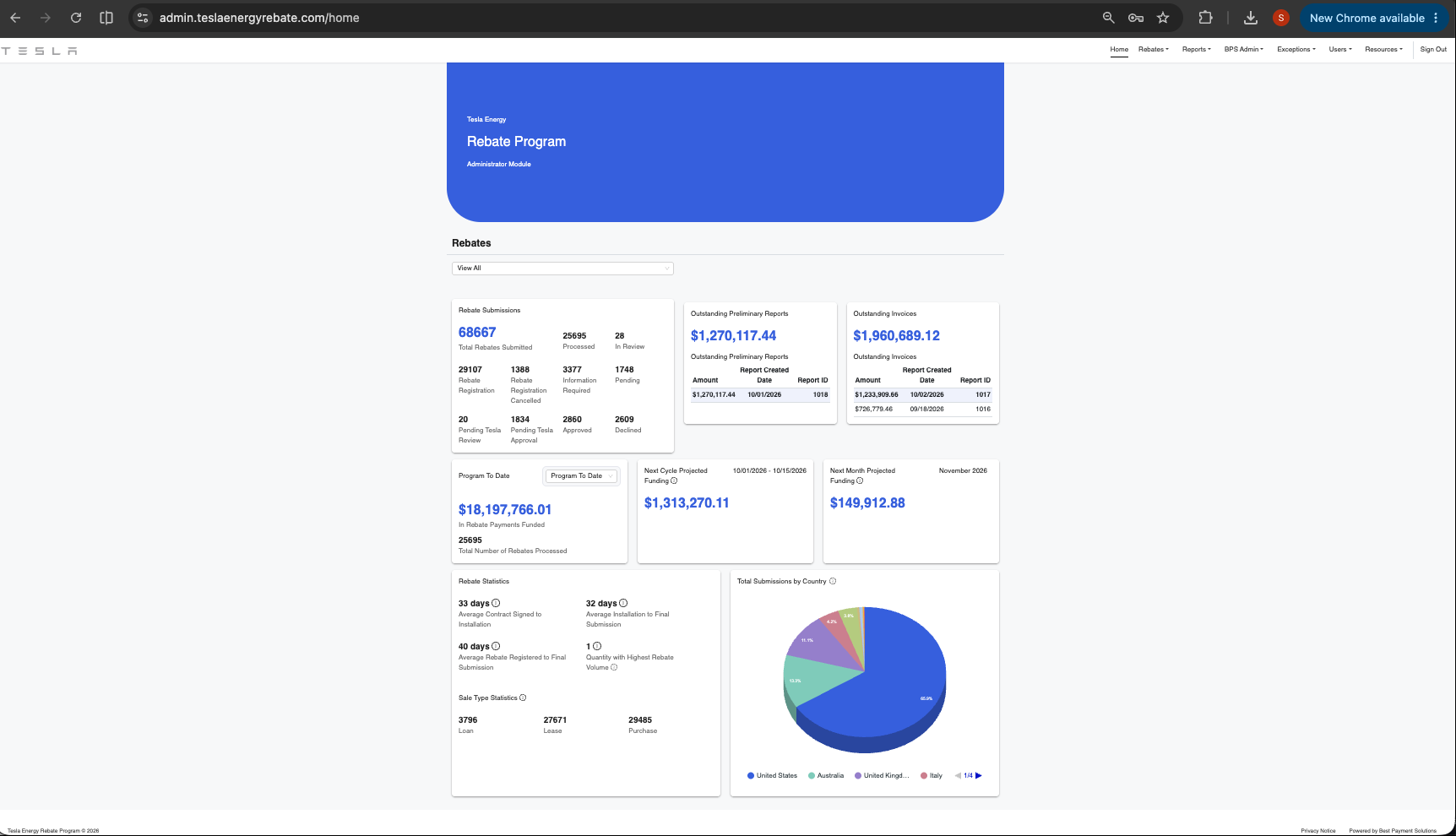
- Big blue header that takes space but carries no information.
- "View All" dropdown filters by region only. There's no concept of a promotion.
- Rebate Submissions shows 11 numbers in one flat grid, so the pipeline isn't visible.
- Same-weight cards with a lot of empty space. Projected funding cards are mostly blank.
- A 3D pie with "1/4" legend paging hides most countries.
- Data comes from
getRebateDashboardData(region, year, month)insrc/features/admin/dashboard.
Concepts
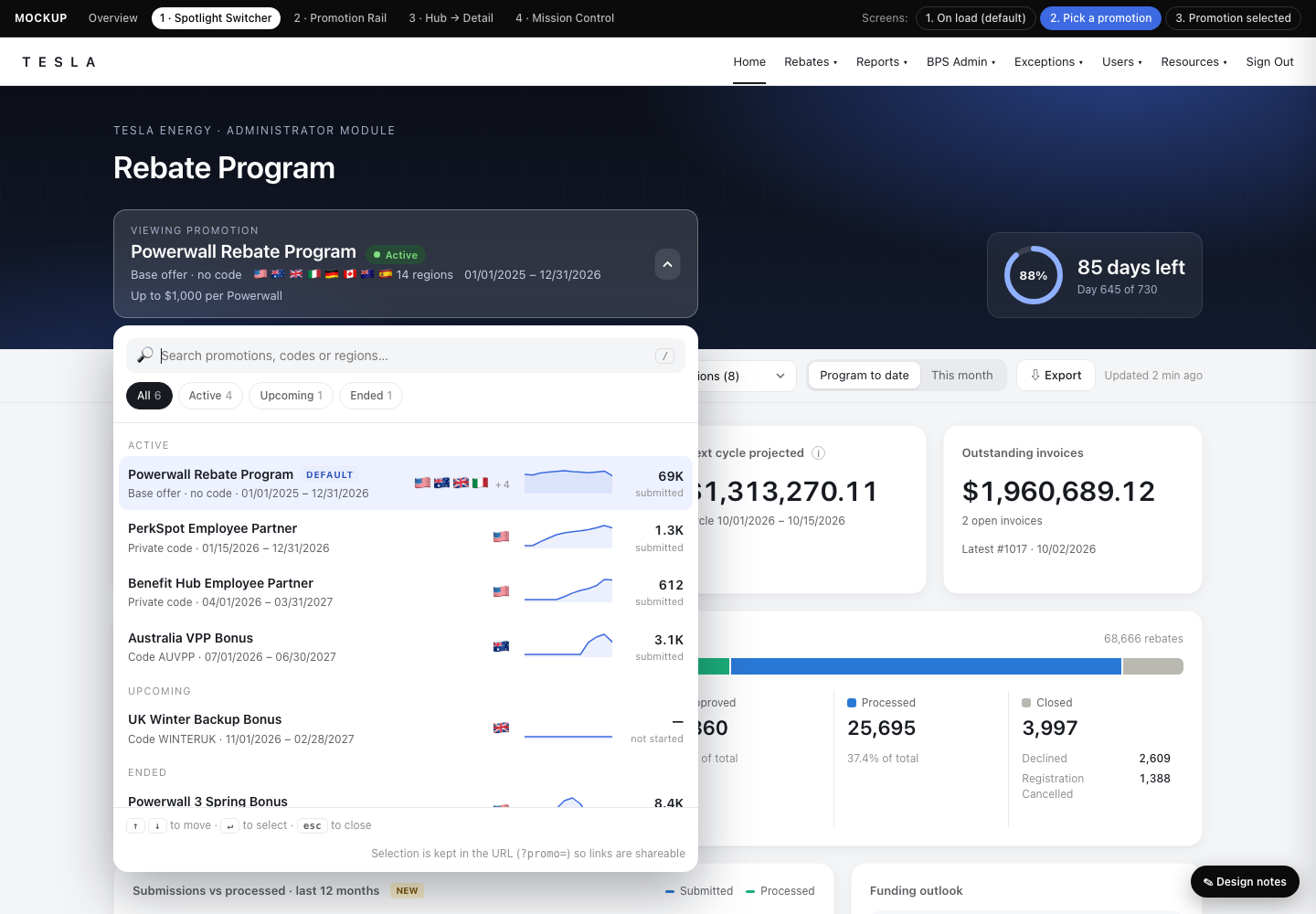
Same layout and data, rebuilt around a large rich dropdown in a new dark hero. The panel is searchable, grouped by status, and shows a sparkline and count for each promotion. The pipeline, donut and journey views replace the old number grids.
Open prototype →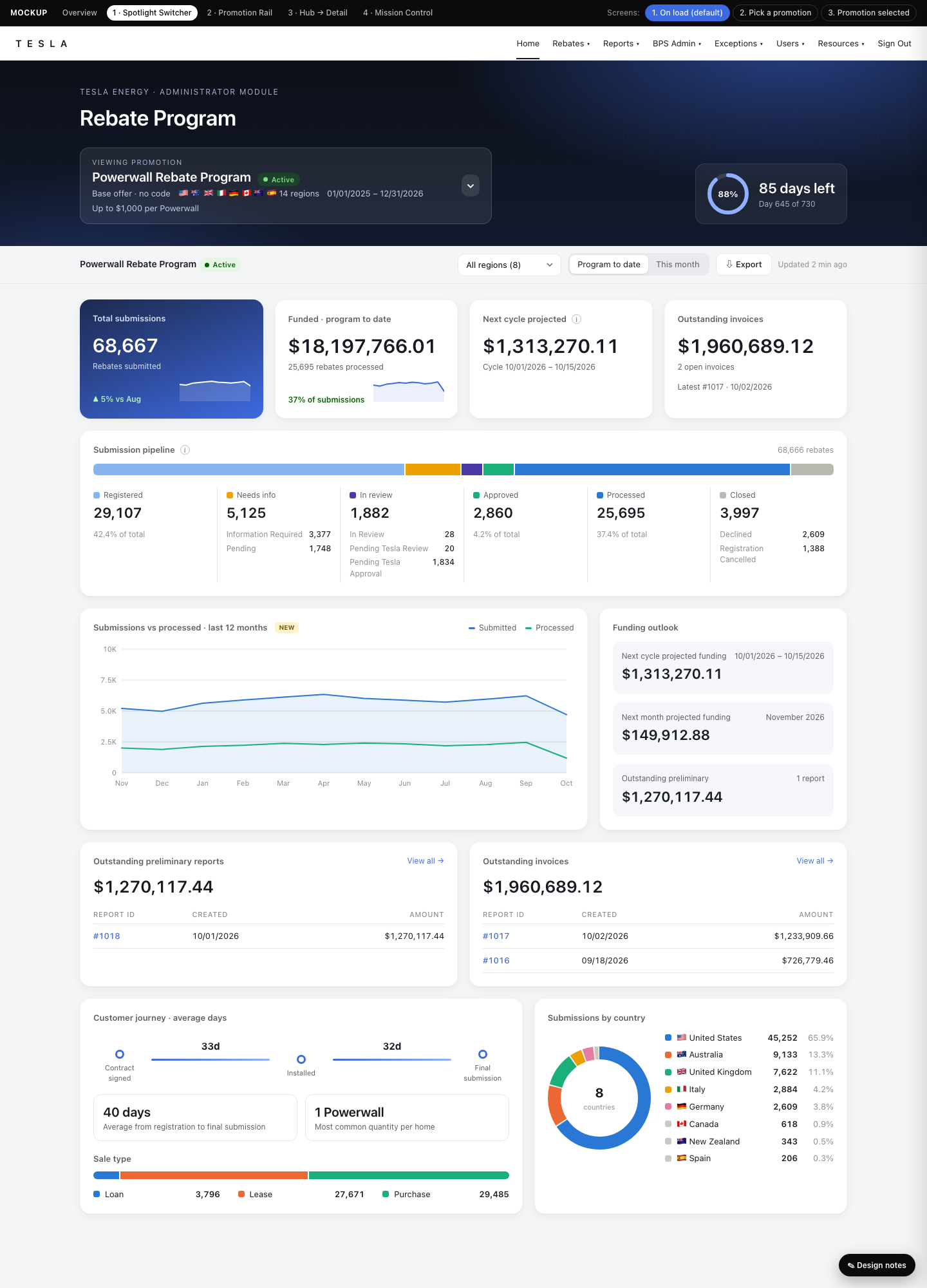
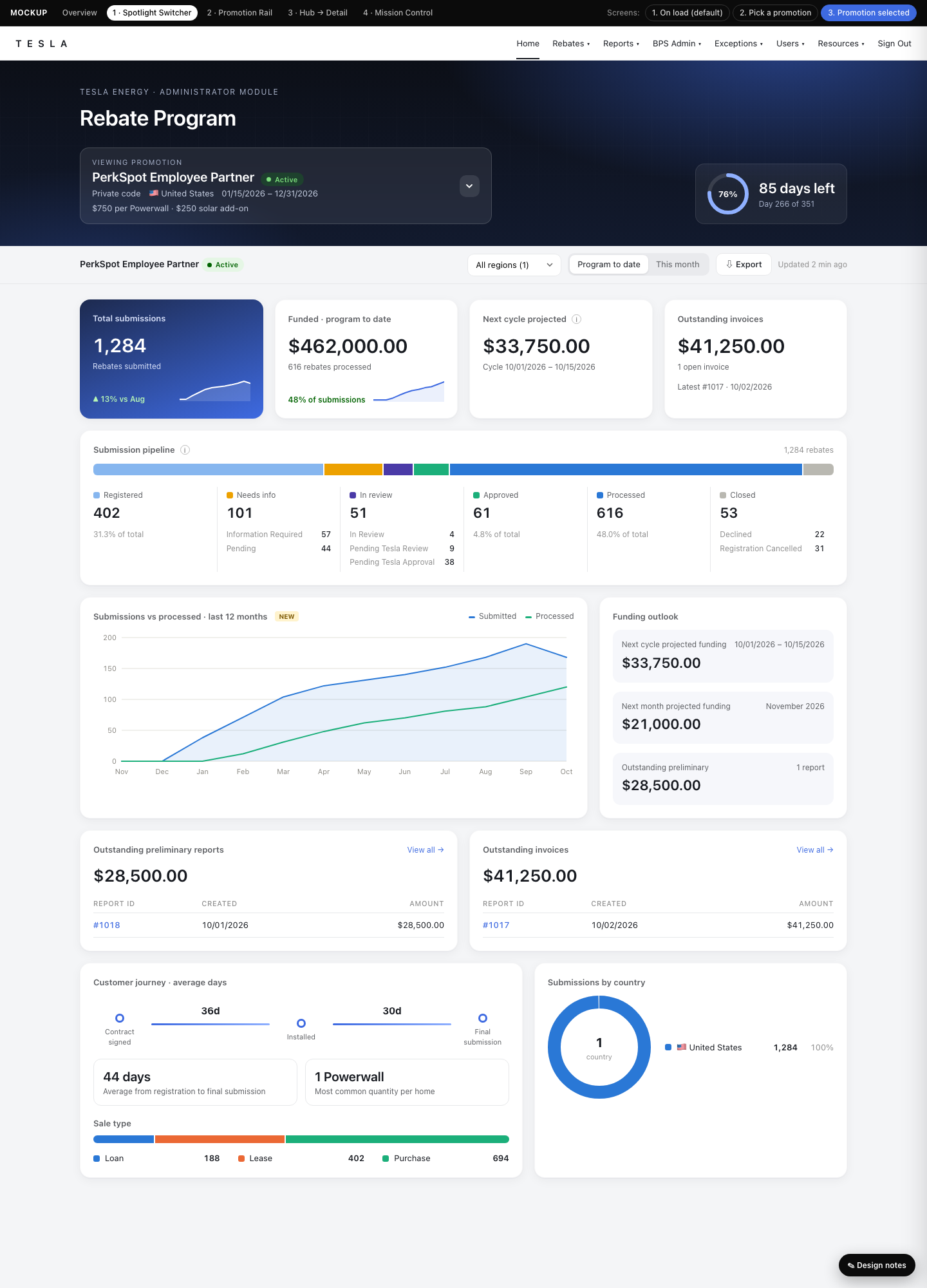
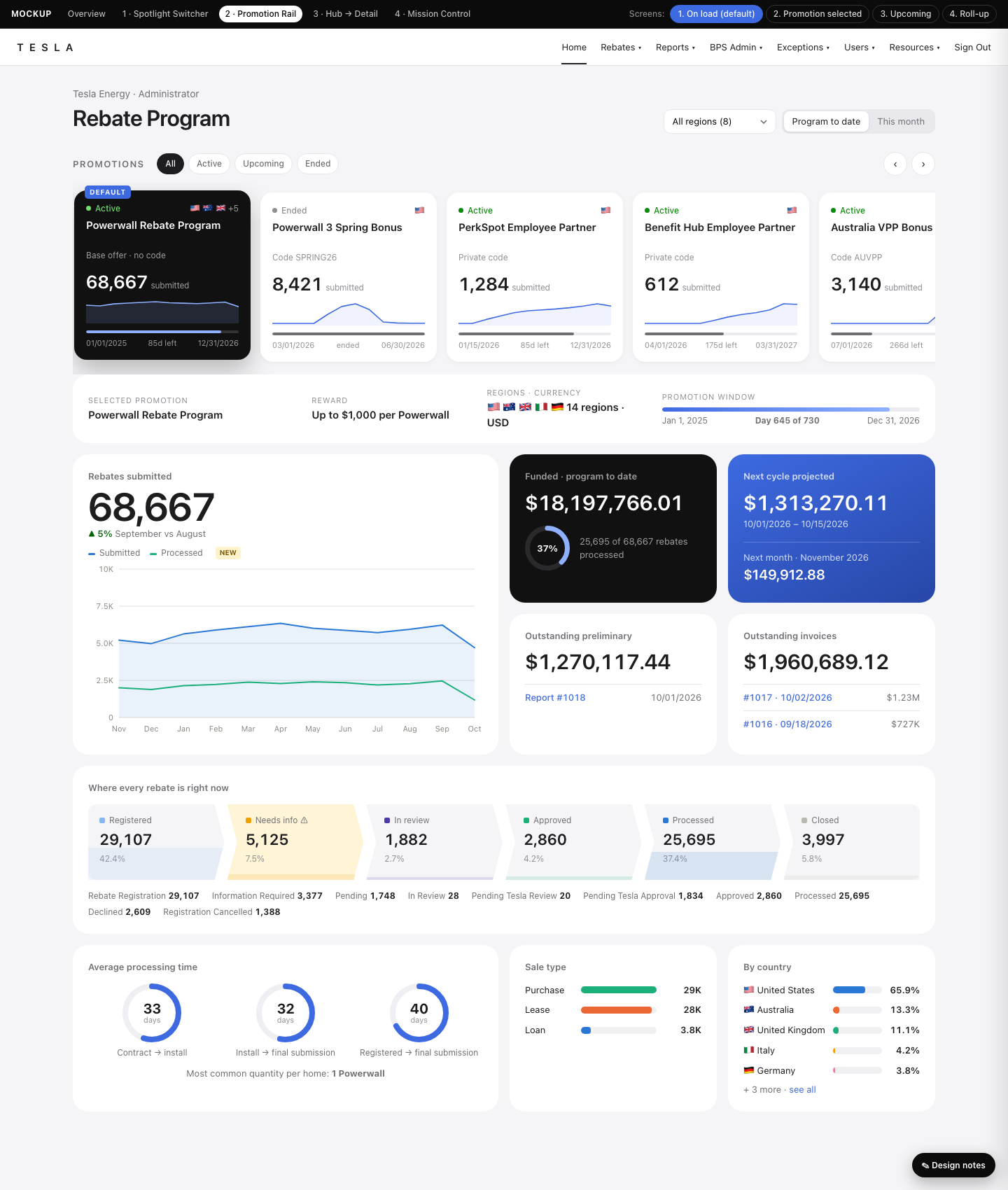
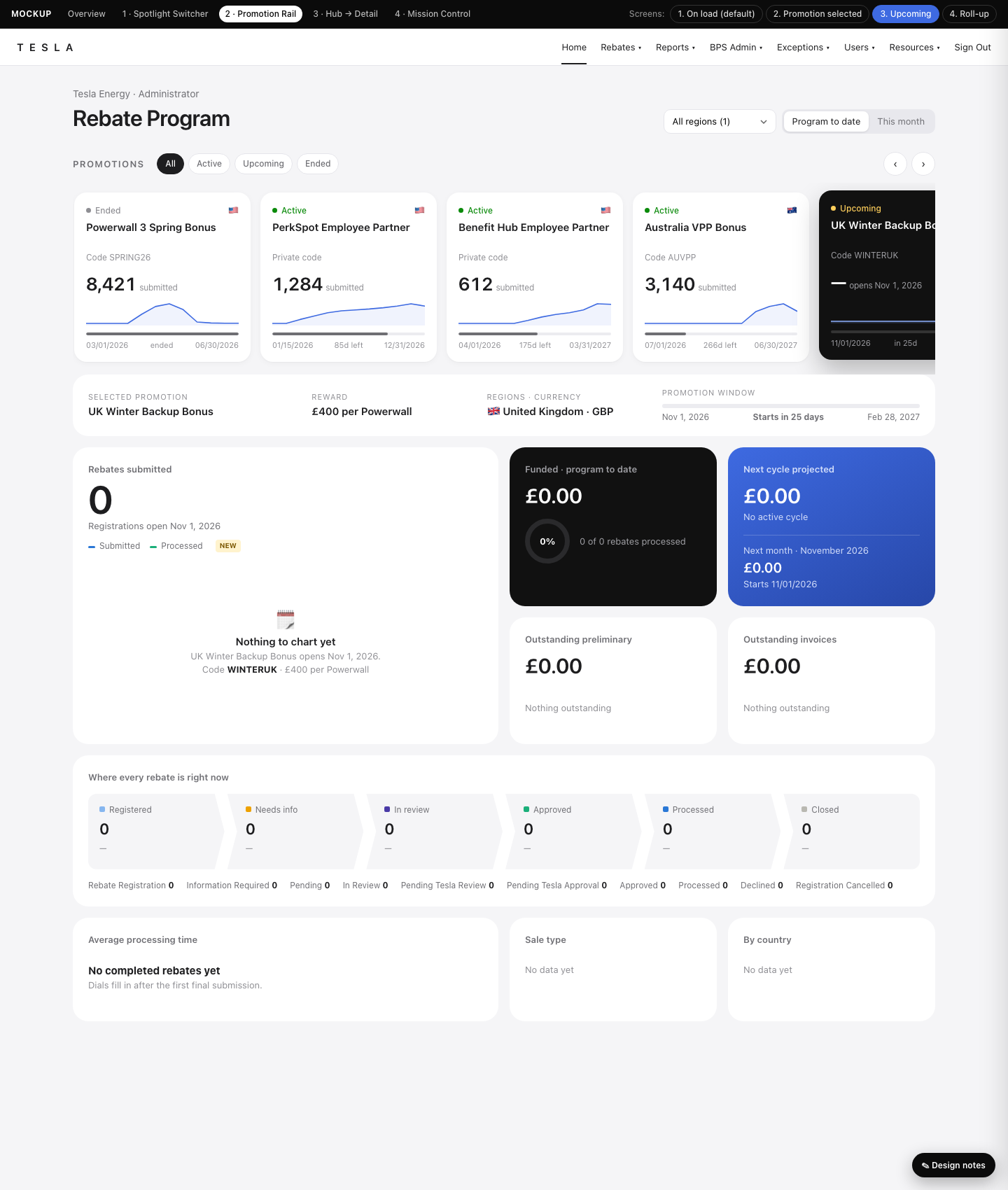
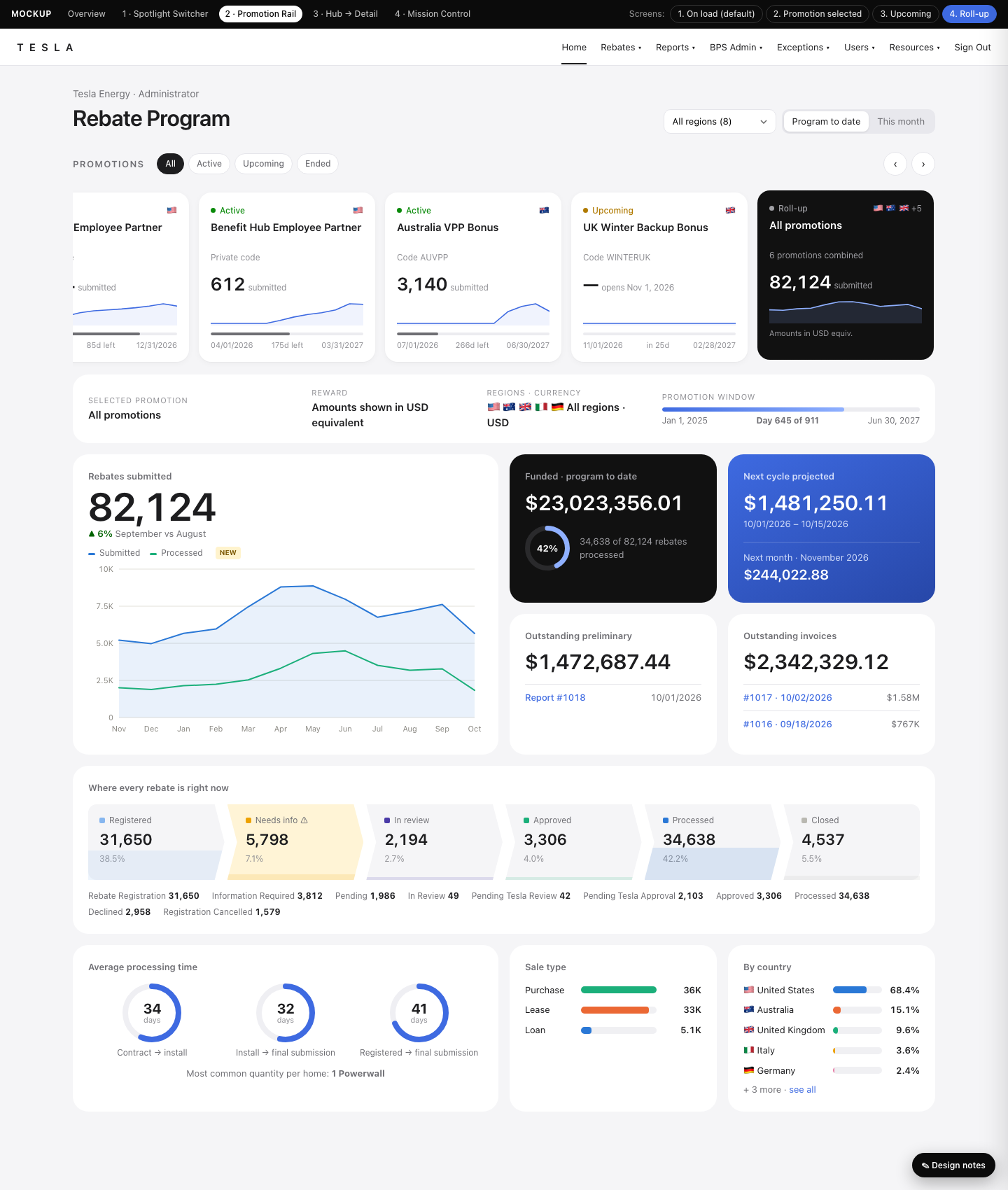
Promotions sit in a horizontal rail of mini-dashboard cards, so you can compare them before you click. A bento grid below has one hero tile, a chevron funnel, dials and flag bars. It also has an optional "All promotions" roll-up card.
Open prototype →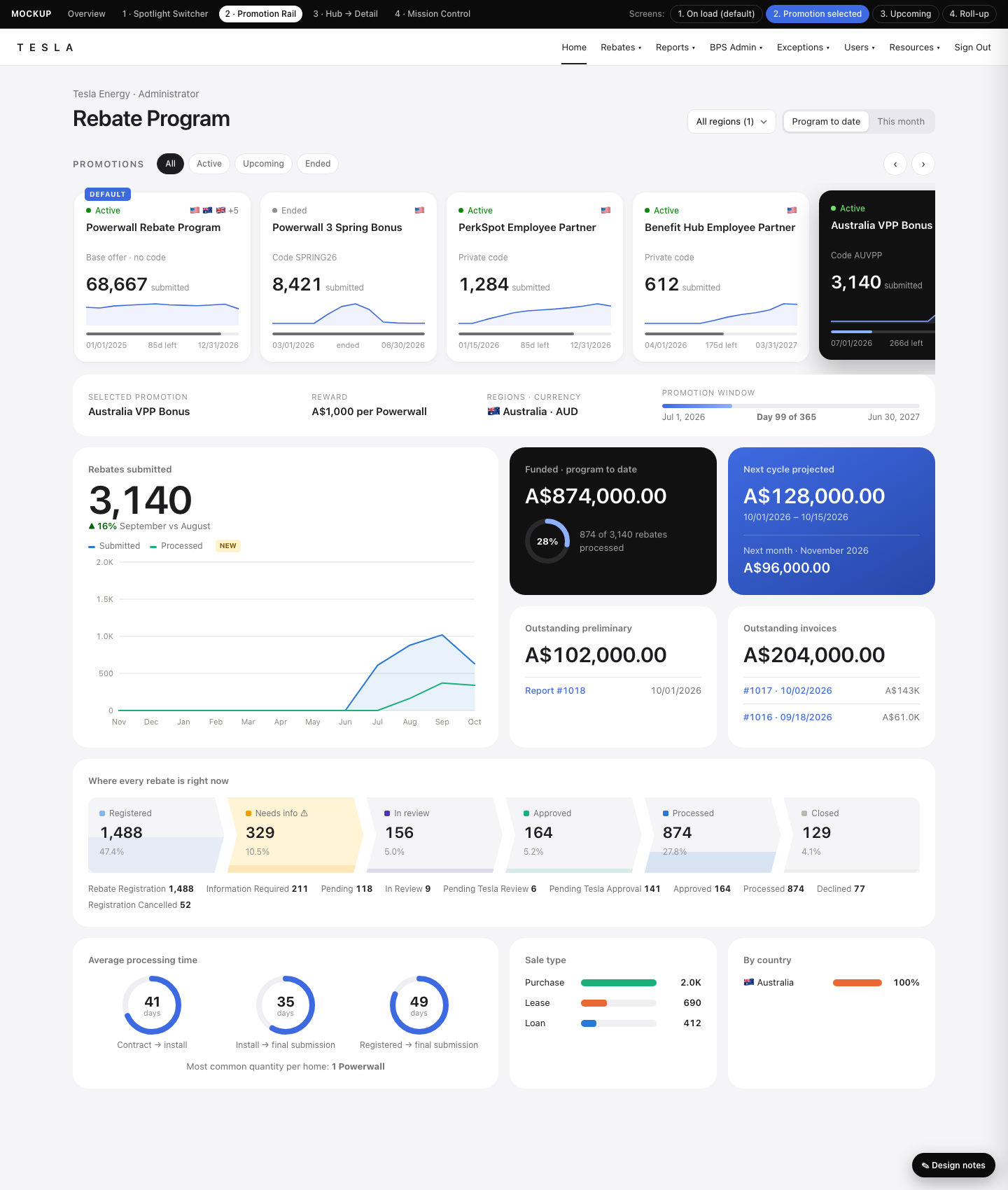
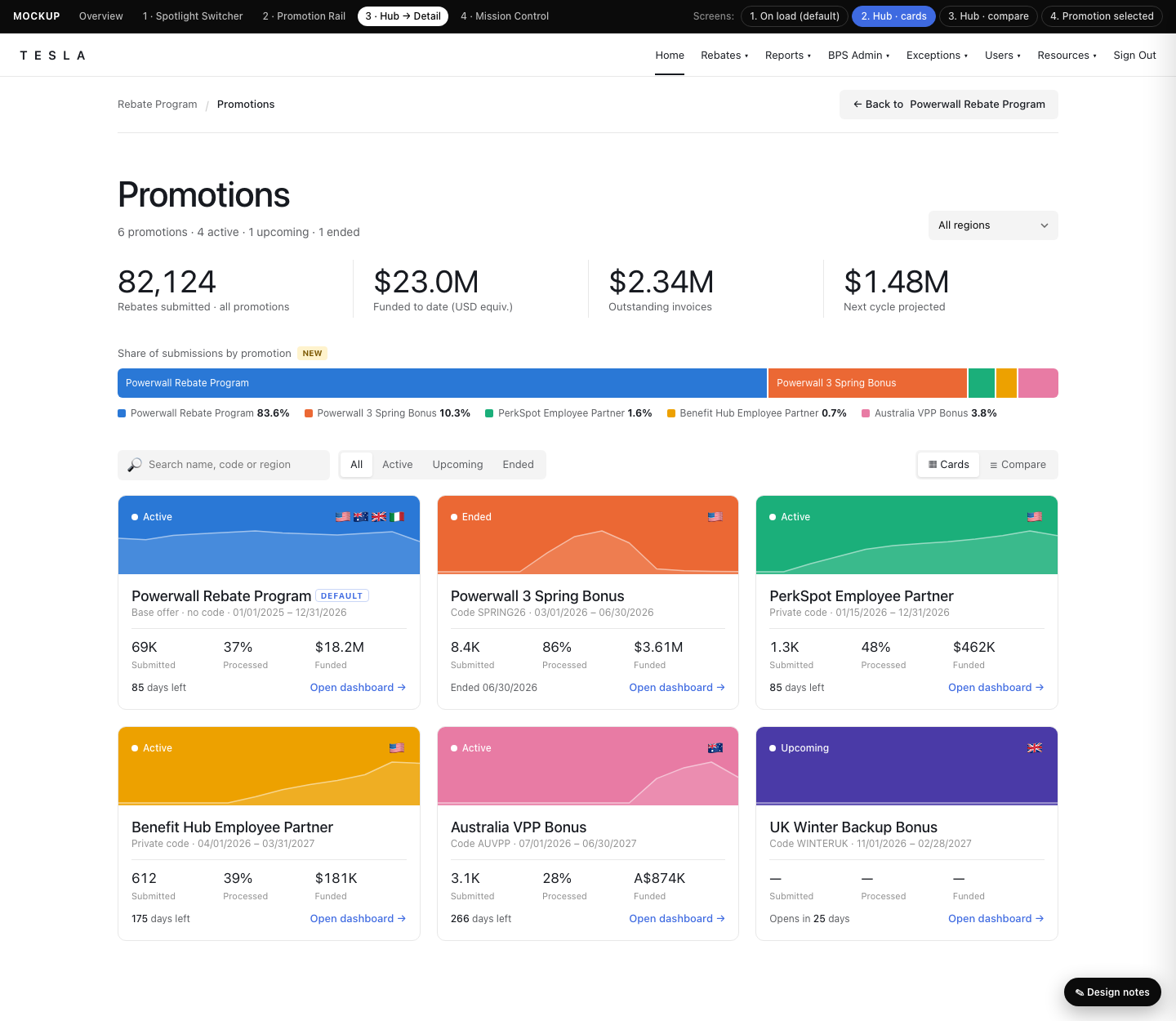
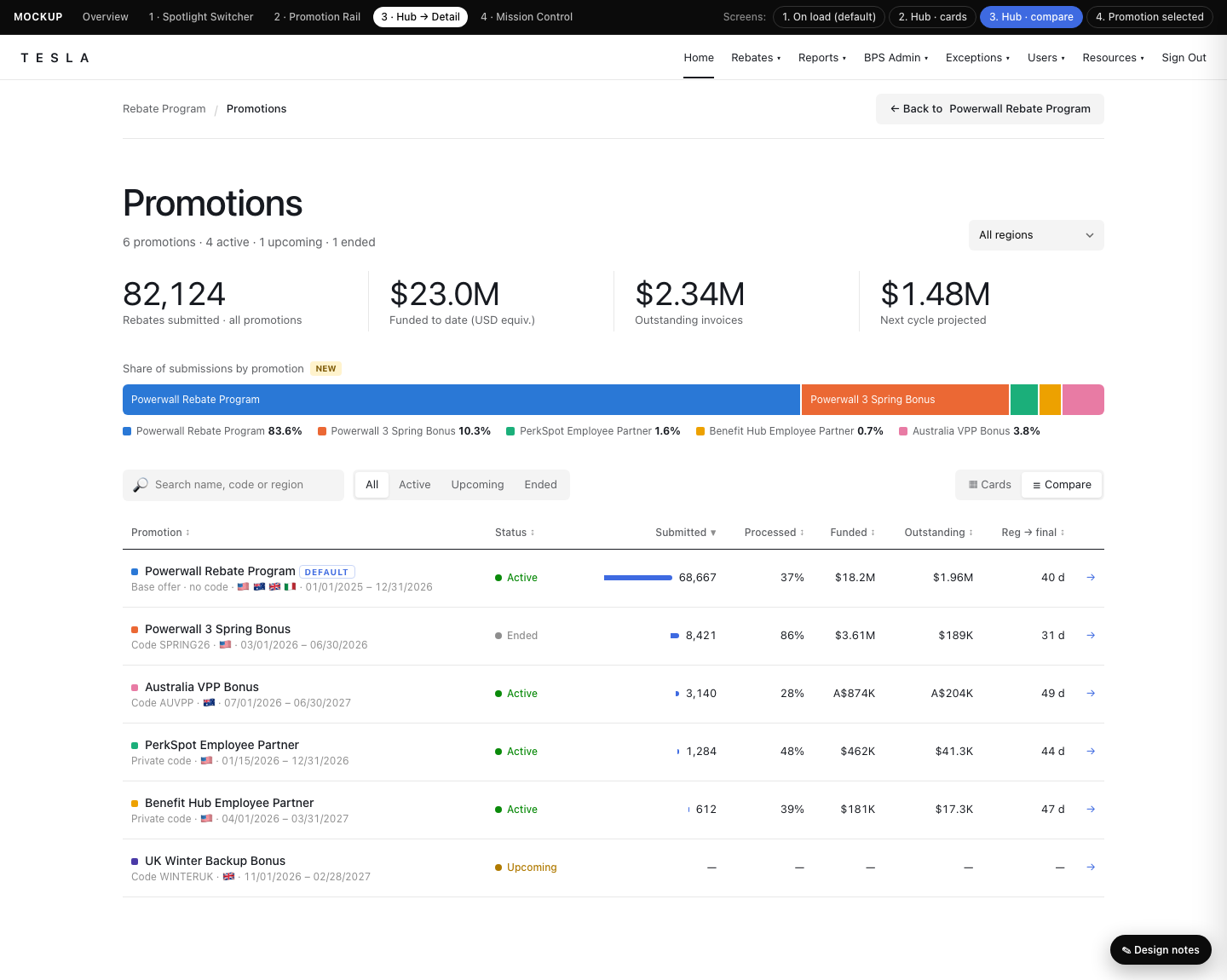
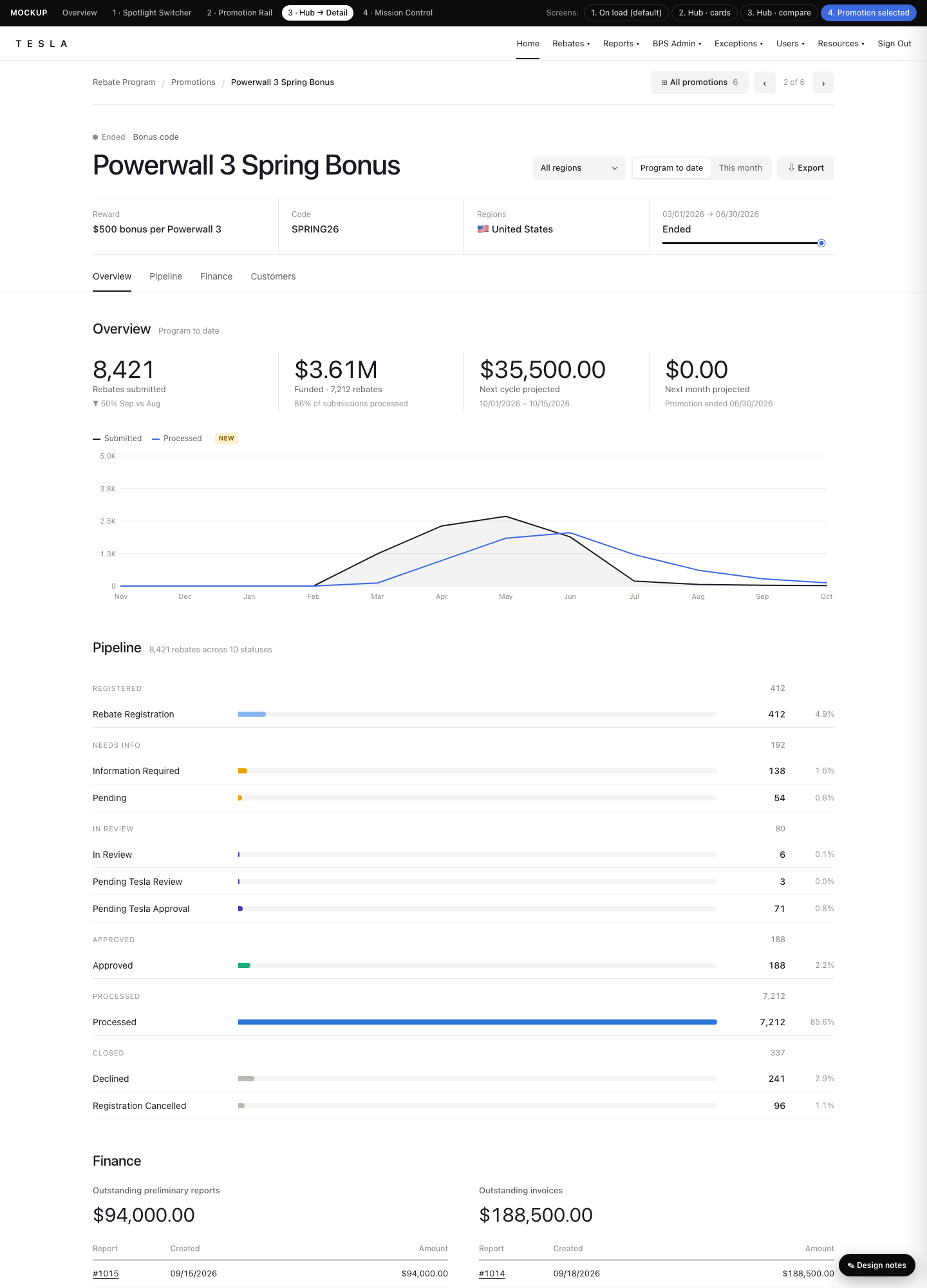
Home opens on the default promotion's dashboard. A breadcrumb leads to a Promotions hub with portfolio totals, a share bar, cards or a sortable compare table. Click any promotion to drill in. The style is editorial, like Tesla.com.
Open prototype →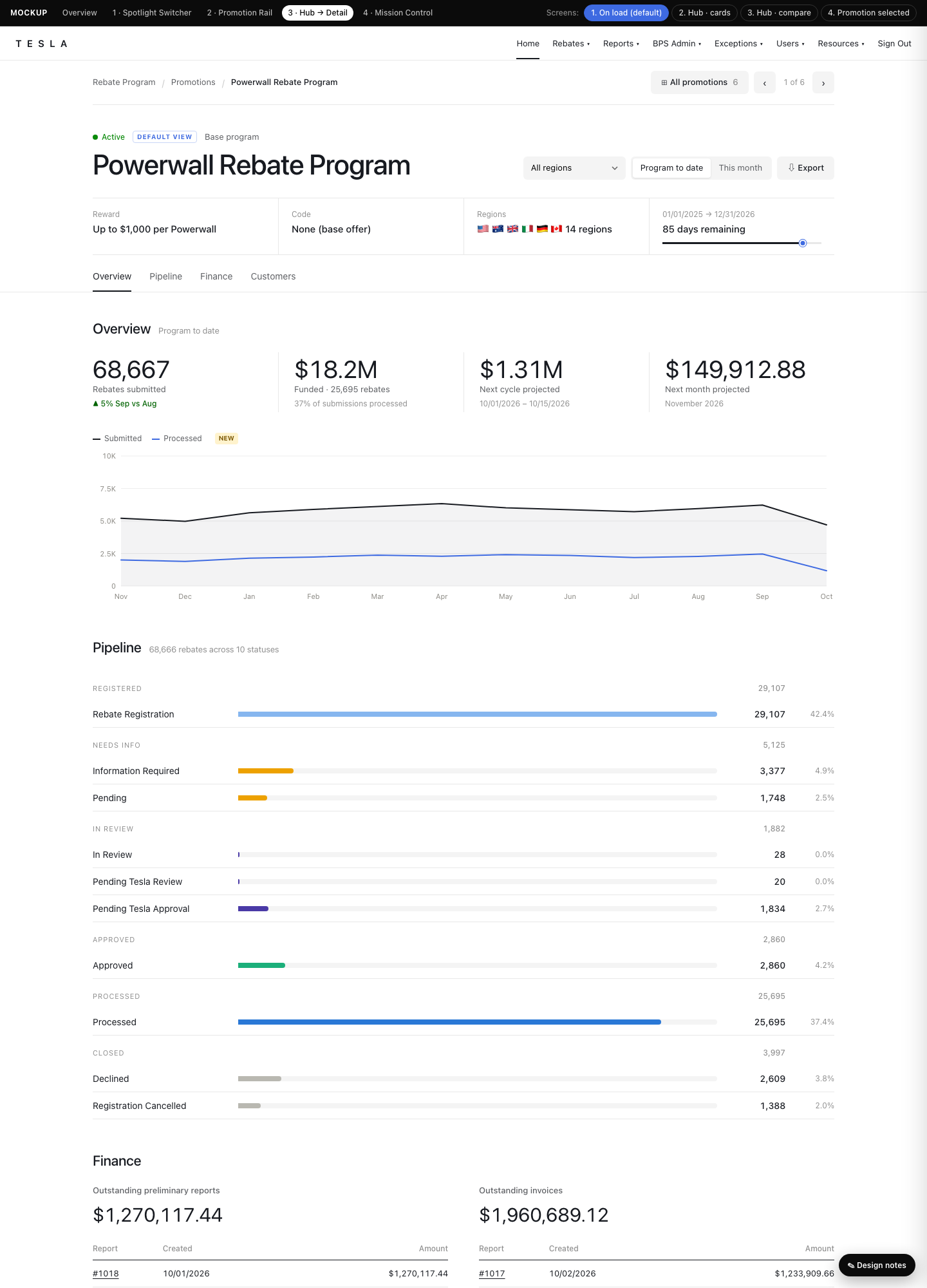
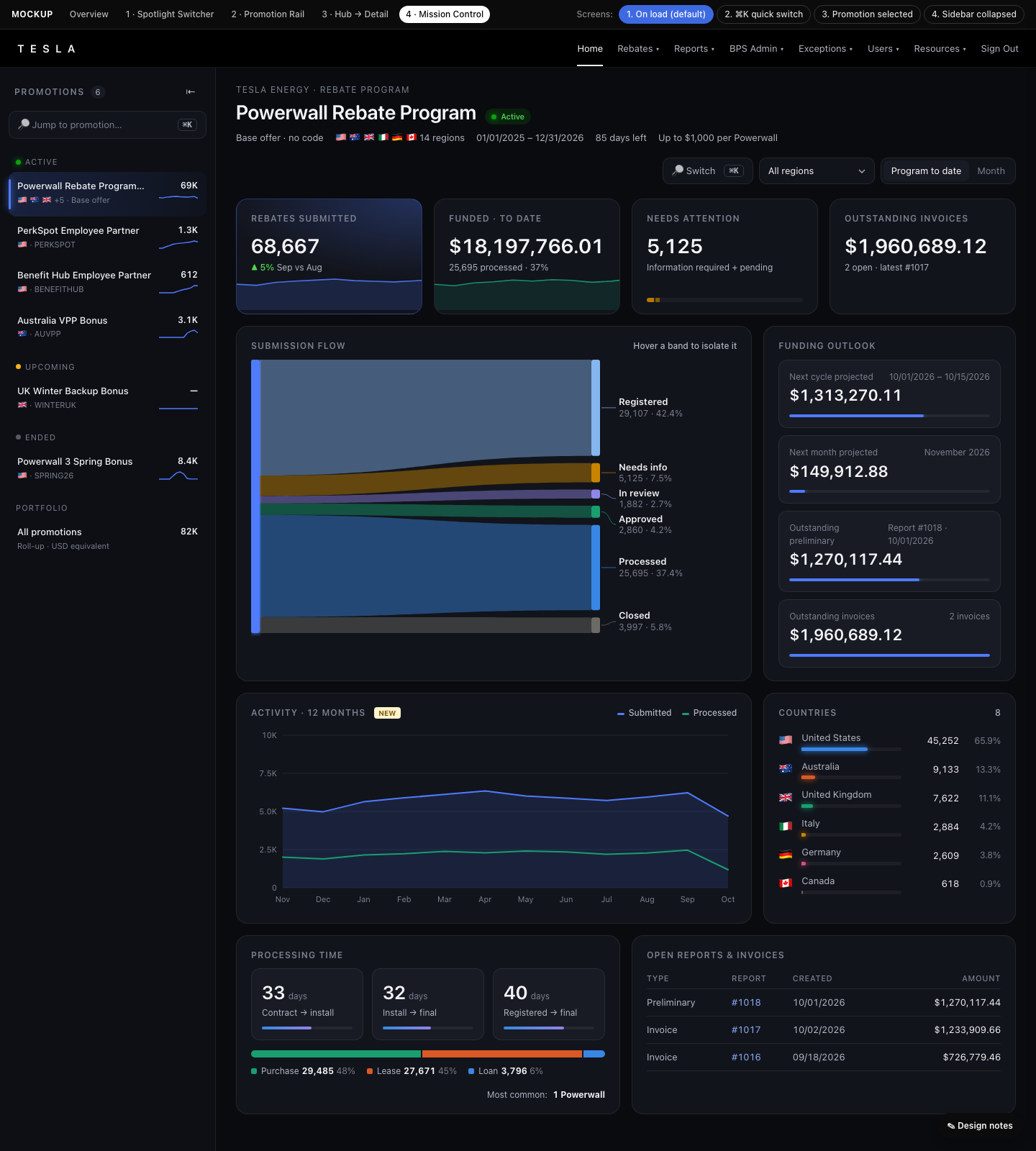
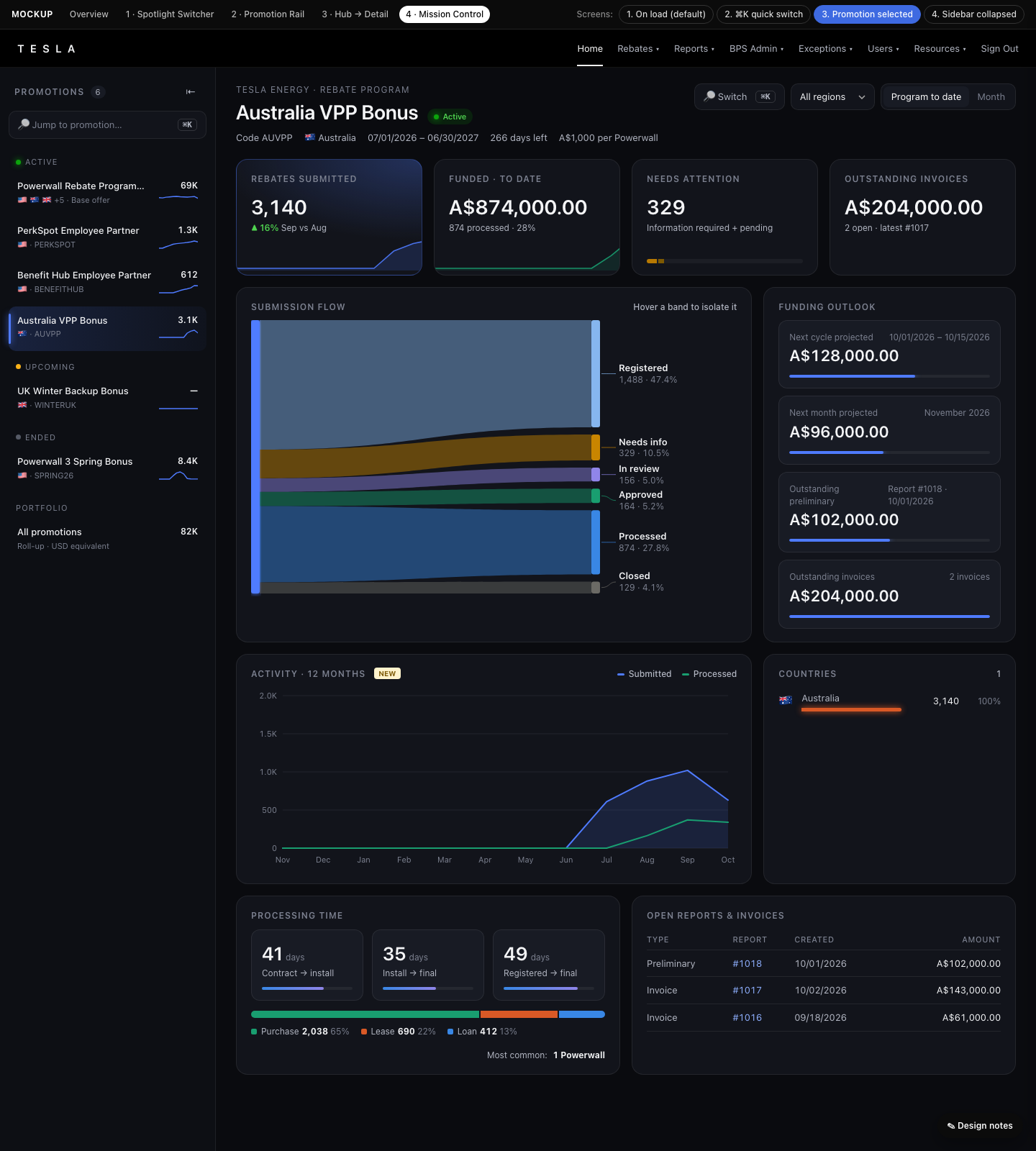
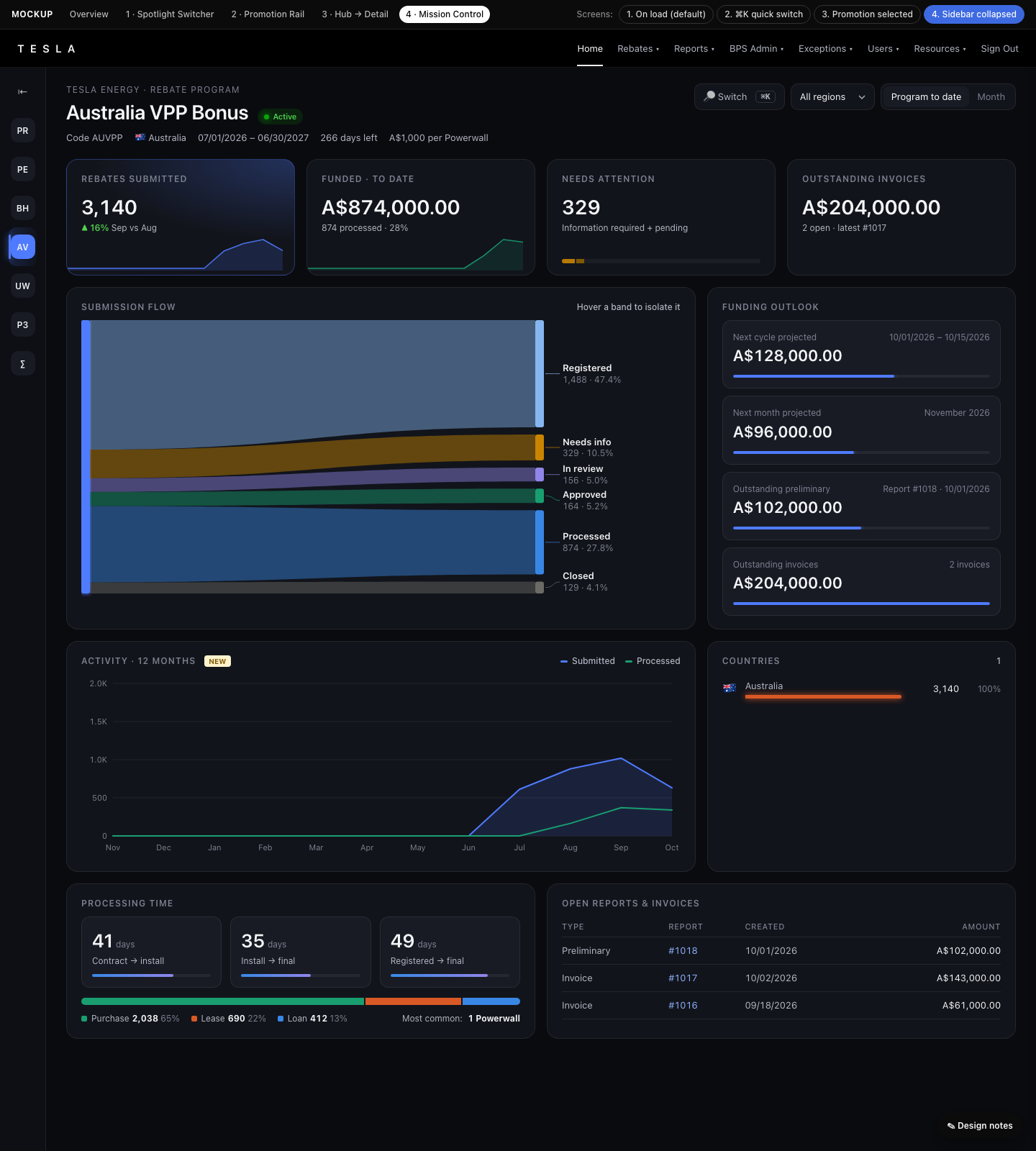
A dark ops-center layout with a persistent promotions sidebar and a ⌘K command palette for power users. It adds a Sankey "submission flow" diagram, glowing KPI tiles and a funding-outlook stack. The sidebar collapses to initials.
Open prototype →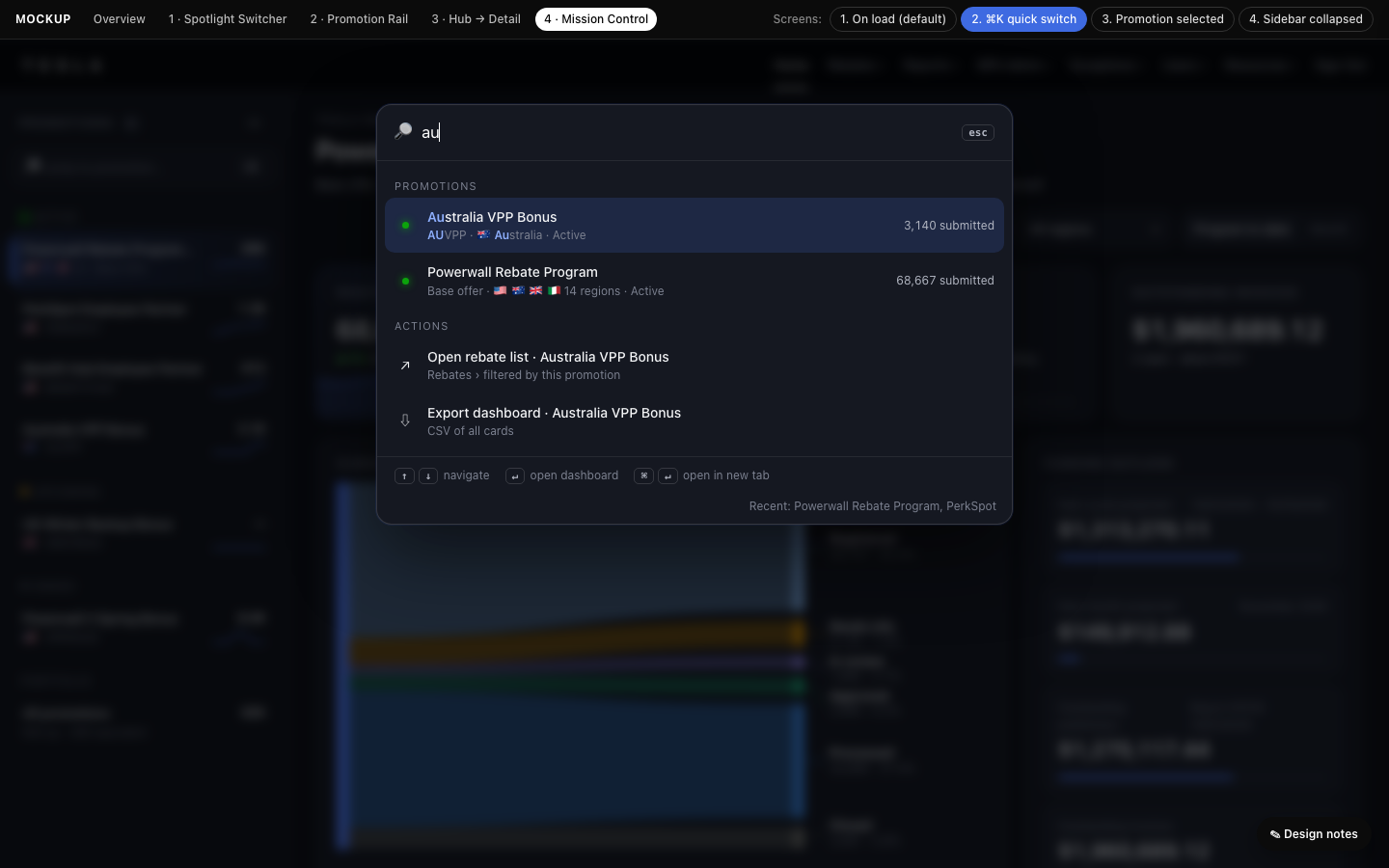
Side by side
| 1 · Spotlight | 2 · Rail | 3 · Hub → Detail | 4 · Mission Control | |
|---|---|---|---|---|
| How you pick | Rich dropdown in hero | Card rail (tabs) | Breadcrumb → hub page, or ‹ › | Sidebar list + ⌘K |
| Clicks to switch | 2 | 1 | 2 (or 1 with ‹ ›) | 1 |
| Compare promotions | Sparkline in list | Cards side by side | Full compare table | Sparkline in sidebar |
| Scales to many promos | ●●●● | ●● | ●●●●● | ●●●● |
| Wow factor | ●●● | ●●●● | ●●● | ●●●●● |
| Build effort | ●● | ●●● | ●●●● | ●●●● |
| Change for users | Minimal | Moderate | Moderate (new page) | High (dark, new nav) |
Ideas carry across concepts: the pipeline/funnel, empty states for upcoming promotions, the ⌘K palette and the compare table can each be added to any of the others.
Shared backend asks (all concepts)
getRebateDashboardData(promotionId, region, year, month): add thepromotionIdarg. Omitted = default promotion, so the current behavior is kept.getDashboardPromotions: id, campaignName, code, region(s), start/end, status, currency, total submissions. This feeds the dropdown, rail, sidebar or hub.- NEW Monthly submitted/processed counts (12 months) for sparklines and trend charts. This is optional, and phase 1 can ship without it.
- Permissions are unchanged:
do_not_show_other_submissionsstill hides financial cards. The promotion list should be filtered to what the user can see.